Cut plastic parts for your VEX robot.

Draw the part in your browser, line it up with real VEX metal, check it against the plastic rule, and export a file your laser cutter understands. No Fusion 360 required.

Free. No account. Works on Chromebooks and school laptops.

Click anywhere on the sheet to cut a hole.

From idea to cut part in five steps.

Step 1 of 5

Draw the part

Pen, rectangle, circle and hole tools snap to a 1/8 inch grid, so edges stay straight and sizes come out even. Dimensions show while you drag.

  • Hold Shift for straight and 45° lines
  • Drag a corner to reshape a part
  • Undo and redo up to 200 steps
Step 2 of 5

Line it up with VEX metal

Lay a see-through C-channel, bar, angle or plate over your sheet. Holes snap to its hole centres on the 0.5 inch pitch, so the bolts line up the first time.

Step 3 of 5

Check it before inspection

Each part is measured at its best angle and compared to the piece size limit. The cutter counts your pieces, flags sheets thicker than 0.070 inch, and warns when a hole sits so close to an edge that the plastic could crack.

If the game manual changes, you can update the limits under Rules.

Step 4 of 5

Export for your cutter or printer

SVG and DXF go straight into laser software, with kerf compensation so parts come out at the size you drew. PNG and PDF print at actual size, tiled over Letter or A4 pages if you're cutting by hand.

Step 5 of 5

Cut it and bolt it on

Your drawing saves in the browser as you work. Save gives you a project file to share with your team or open on another computer.

C-channel 1x2x1 7.500 × 3.500 in ✓ 7.5 × 3.5 in, within the size limit ✓ 1 piece, within the robot's piece count ✓ 0.060 in polycarbonate SVG DXF PDF

Pick a plastic the rules allow.

The plastic rule only allows certain non-shattering plastics up to 0.070 inch thick. Choose your sheet in the cutter and it warns you about anything that won't pass, like acrylic, which shatters.

Based on rule R24 in the V5RC Override (2026–27) game manual. Always check the current manual.

Example projects

Three real drawings made in the cutter. Open any of them, change the sizes for your robot, and export.

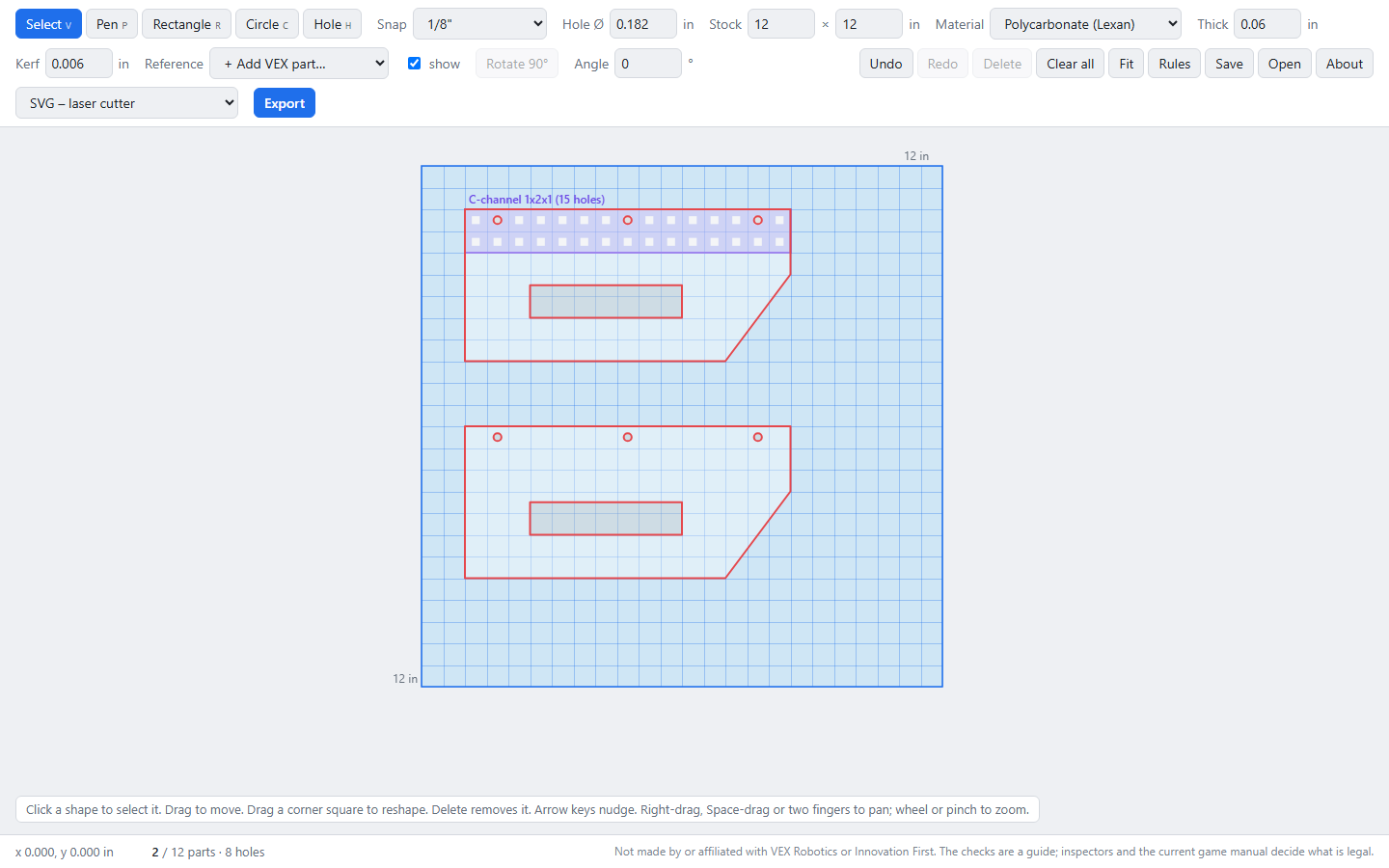
The cutter showing two intake guard plates on a 12 by 12 inch sheet, with a see-through C-channel lined up over the bolt holes

Intake guard

Two mirrored flaps that bolt to a C-channel. The bolt holes were placed by snapping to the channel's holes, and a slot cut through each flap saves weight.

Parts
2
Holes and slots
8
Material
Polycarbonate, 0.060 in
Open this example
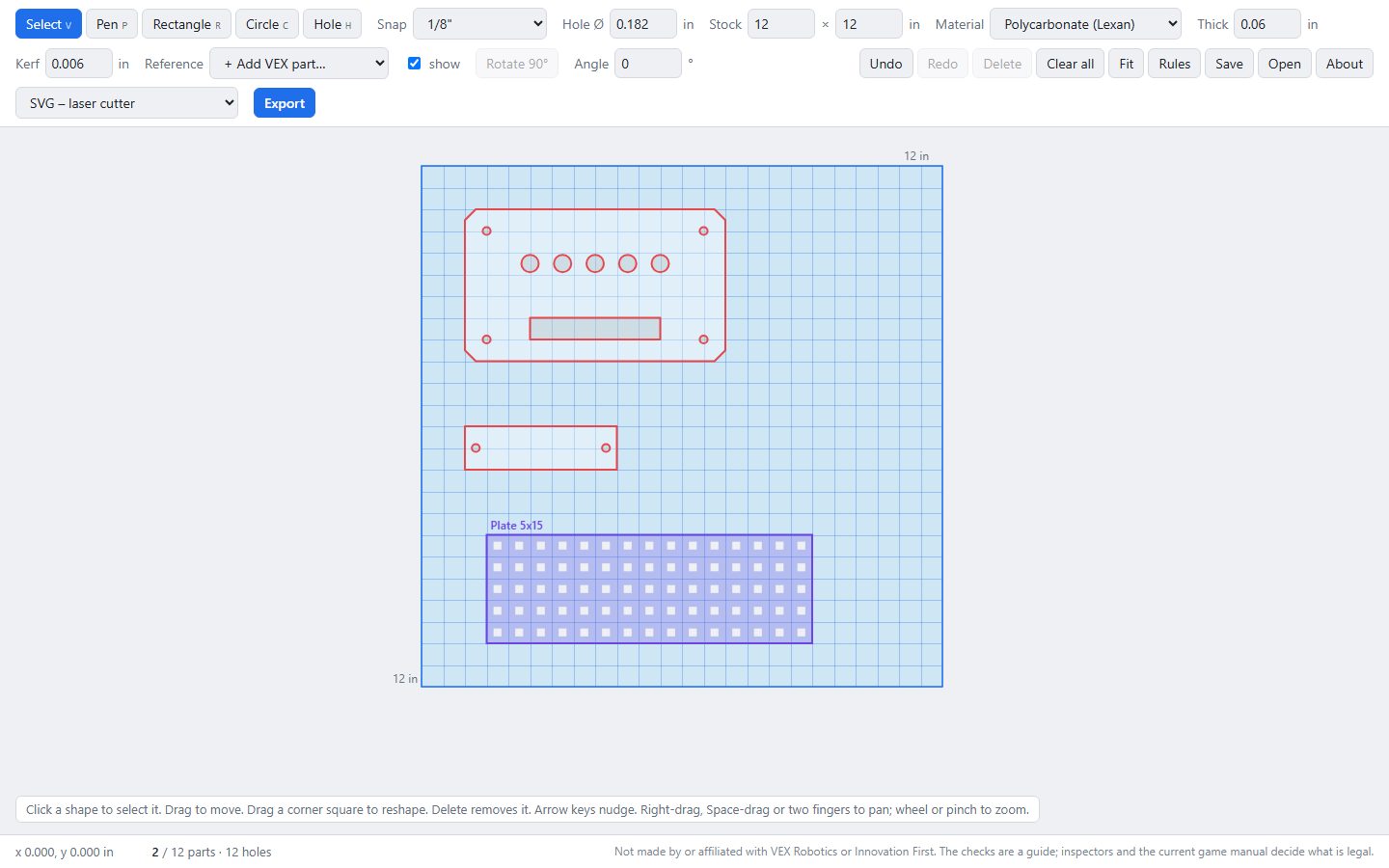
The cutter showing a Brain cover with corner holes, a row of round vents and a wire slot, plus a battery strap and a plate reference

Brain cover

A cover with chamfered corners, round vents and a slot for wires, plus a small strap to hold the battery. The holes sit on the 0.5 inch grid.

Parts
2
Holes and slots
12
Material
Polycarbonate, 0.060 in
Open this example
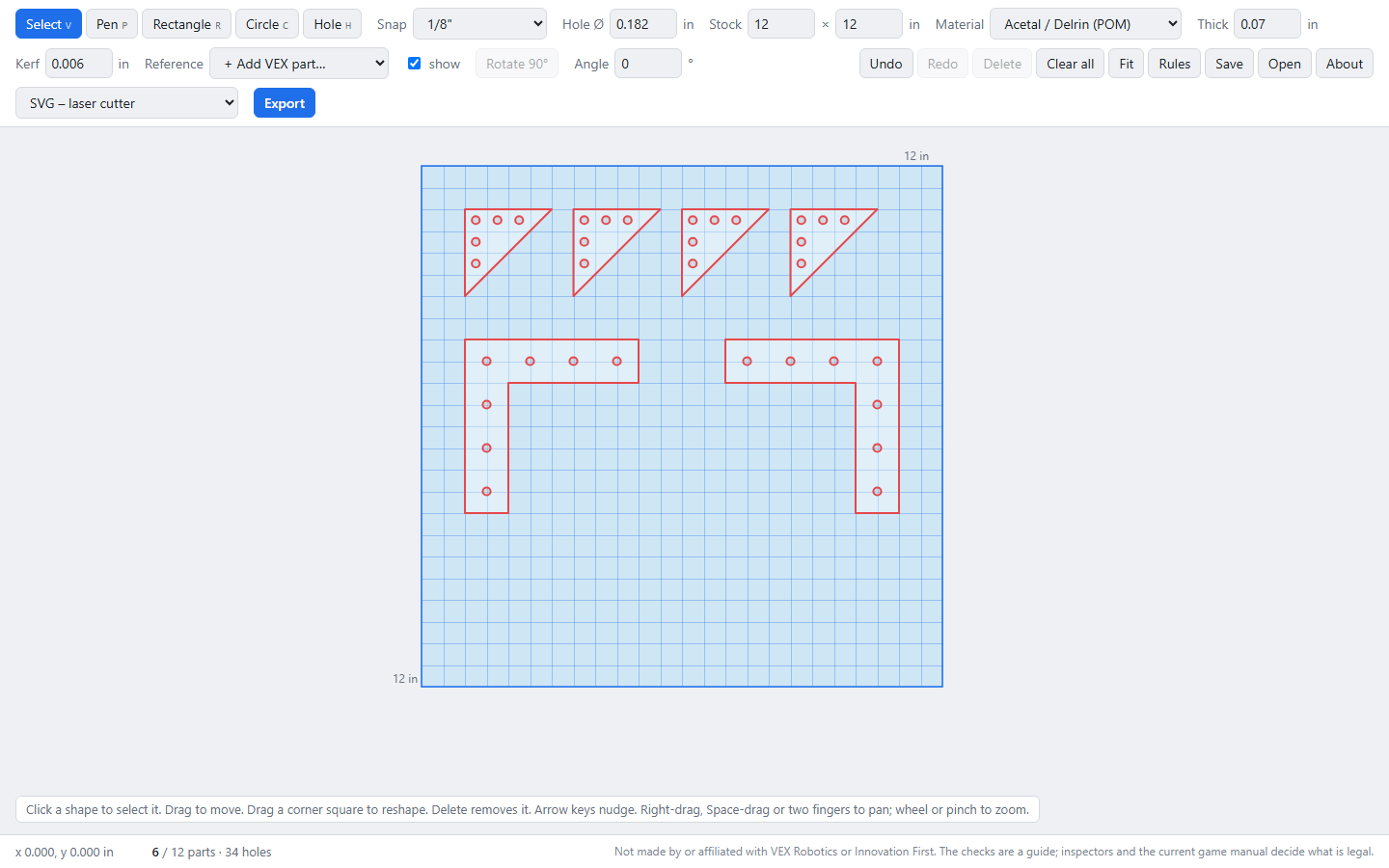
The cutter showing four triangle gussets and two L brackets with holes on the VEX hole pitch

Gusset set

Four triangle gussets and two L brackets for stiffening joints, all from one sheet. Every hole lands on the VEX hole pitch.

Parts
6
Holes
34
Material
Delrin, 0.070 in
Open this example

Questions

Is it free?

Yes. There's no account, no trial and no ads.

Where are my drawings saved?

In your browser, on your computer. Nothing is uploaded. Use Save to download a project file you can share or open somewhere else.

Which laser software works?

Anything that opens SVG or DXF, including LightBurn, Glowforge, xTool Creative Space and RDWorks. If a DXF comes in at the wrong size, export the DXF in millimetres instead.

What is kerf, and what should I set it to?

Kerf is the width of material the laser burns away. Set it and the cutter moves part outlines out and holes in by half that amount, so parts come out at the size you drew. 0.004 to 0.008 inch is typical; cut a test square to measure yours.

Will my part pass inspection?

The checks catch the common problems, but inspectors and the current game manual decide what's legal. Bring the manual's plastic rule to your inspection if you're unsure.

No laser cutter?

Export a PDF tiled on Letter or A4 paper, print at 100%, check the 1 inch scale bar, tape the template to your sheet and cut by hand.

Does it work on a phone or Chromebook?

Yes. It runs in any modern browser. On touch screens, drag with one finger to draw and pinch to zoom.
Draw your first part in the next five minutes.

Open the cutter